About Castel Wars: Middle Ages
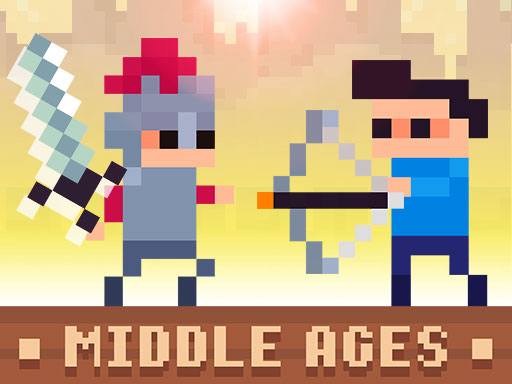
Castel Wars continues with its new episode, Middle Ages! With the new episode, you can try out Medieval weapons and equipment. As in the previous game, 2 different game modes and newly designed themes are waiting for you. You now have cannons instead of catapults. Cannon guns are much more powerful and deadly. Fire arrows, swords, and new armor are also included in the game. The most interesting equipment is wings! If you can get a wing bonus, you can descend slowly from above. You can play the game 1 player or 2 player. Let the fight begin!
Castel Wars: Middle Ages is a action game, and it plays best as quick casual play with broad appeal. It renders at 900x500 in landscape..
How to play Castel Wars: Middle Ages
- Open the play frame with Play now; Castel Wars: Middle Ages loads straight from GameMonetize with nothing to install.
- Blue Player Move W A S D Create Block S Hit E If you hold down the character throws the weapon Change Weapon Q Red Player Move ARROW KEYS Create Block DOWN ARROW Hit SPACE If you hold down the chara.
- This one runs landscape, so use fullscreen or turn a phone sideways for the framing it was designed around.
Castel Wars: Middle Ages at a glance
- Play area
- 900x500 px, landscape
- Also tagged
- 2 Player, 2 Player Games, Battle, Fun
How Castel Wars: Middle Ages compares
The closest action pages on GamPlayer are Squid Jump Challenge, Rainbow Monster Impostor Catcher and Stickman Broken Bones io. Castel Wars: Middle Ages sits alongside that group on provider quality score.
Tips for a better session
- The play area is 900x500; fullscreen on a laptop gives you the framing it was built for.
- Controls are listed as blue player move w a s d create block s hit e if you hold down the character throws the weapon change weapon q red player move arrow keys create block down arrow hit space if you hold down the chara, so check that against your device before a long session.
- When you stall, clear the busiest corner first to open the space back up.
- Scan the whole board before the first move; the opening choice constrains the rest.
Frequently asked questions
Is Castel Wars: Middle Ages free to play?
It is free and browser-based. Press play and the GameMonetize build starts in place, with no signup step.
What are the controls for Castel Wars: Middle Ages?
Blue Player Move W A S D Create Block S Hit E If you hold down the character throws the weapon Change Weapon Q Red Player Move ARROW KEYS Create Block DOWN ARROW Hit SPACE If you hold down the chara. The quick facts panel above repeats them if you need to check mid-session.
Can I play Castel Wars: Middle Ages on a phone?
Castel Wars: Middle Ages runs landscape at 900x500. It works on a phone turned sideways, and fullscreen gives it the intended framing on smaller screens.
What games are similar to Castel Wars: Middle Ages?
Squid Jump Challenge, Rainbow Monster Impostor Catcher, Stickman Broken Bones io sit closest to it in the Action category. The similar games list further down covers a wider set.


