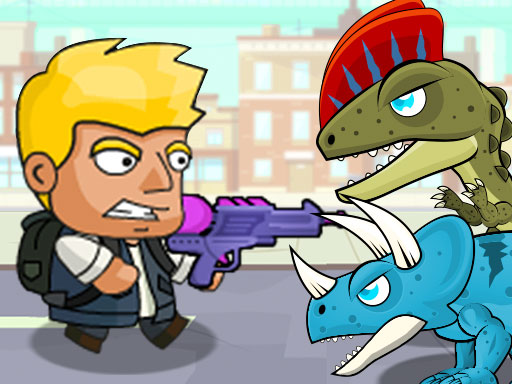

About DinoZ City
DinoZ adventure continues with the second game of the series, DinoZ City. Dinosaurs took over the city and they have hostages. This time, you need to save the scientists along with the police officers. Also, you can eliminate the dinosaurs by using armored vehicles in this new version. You can either play single player mode or co-play "2 Player" mode with a friend to save the hostages. Watch out for the traps set by smart dinosaurs and beat the boss to win the game!
DinoZ City is a shooting game, and it plays best as quick reactions and arcade breaks. It renders at 800x600 in landscape..
How to play DinoZ City
- Open the play frame with Play now; DinoZ City loads straight from GameMonetize with nothing to install.
- PLAYER 1 Move W A S D Hit F Bomb H Jump G Switch Weapon Q PLAYER 2 Move ARROW KEYS Hit L Bomb J Jump K Switch Weapon U Both player can wall jump with W or UP ARROW.
- This one runs landscape, so use fullscreen or turn a phone sideways for the framing it was designed around.
DinoZ City at a glance
- Play area
- 800x600 px, landscape
- Also tagged
- 2 Player, 2 Player Games, Action, Adventure
- Plays on GamPlayer
- 1
How DinoZ City compares
The closest shooting pages on GamPlayer are Sniper Hunting Skibidi Toilet, FNF FPS and Zombie Shooter 3D. DinoZ City sits alongside that group on provider quality score.
Tips for a better session
- The play area is 800x600; fullscreen on a laptop gives you the framing it was built for.
- Controls are listed as player 1 move w a s d hit f bomb h jump g switch weapon q player 2 move arrow keys hit l bomb j jump k switch weapon u both player can wall jump with w or up arrow, so check that against your device before a long session.
- If this one is close but not quite right, the related games list is a faster route than search.
- Read the first in-game screen; it usually carries the controls the page cannot.
Frequently asked questions
Is DinoZ City free to play?
Yes. DinoZ City runs in the browser with no download, no install and no account, served from GameMonetize in the frame above.
What are the controls for DinoZ City?
PLAYER 1 Move W A S D Hit F Bomb H Jump G Switch Weapon Q PLAYER 2 Move ARROW KEYS Hit L Bomb J Jump K Switch Weapon U Both player can wall jump with W or UP ARROW. You will also find them in the at-a-glance list higher up the page.
Can I play DinoZ City on a phone?
DinoZ City runs landscape at 800x600. It works on a phone turned sideways, and fullscreen gives it the intended framing on smaller screens.
What games are similar to DinoZ City?
The nearest matches are Sniper Hunting Skibidi Toilet, FNF FPS, Zombie Shooter 3D. Scroll to the similar games row for the full shooting set.


