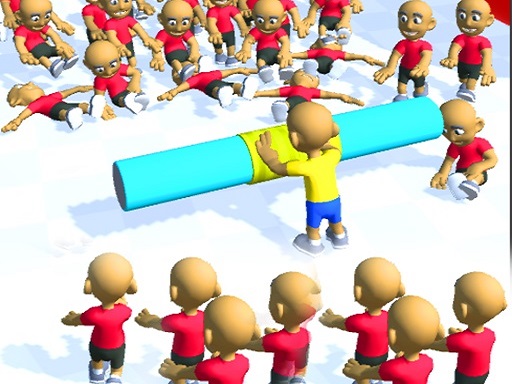

About Lumbering At Sea
You can experience an adventure different from the Grand Line. You need to collect materials to build your own ship, and then compete with others here. Of course there are rich rewards after winning.
Lumbering At Sea lands in hypercasual and is the right pick for pick-up play between other things. It renders at 750x1334 in portrait..
How to play Lumbering At Sea
- Open the play frame with Play now; Lumbering At Sea loads straight from GameMonetize with nothing to install.
- Mouse click or tap to play.
- This one is built portrait-first, so a phone held upright already matches its native layout.
Lumbering At Sea at a glance
- Play area
- 750x1334 px, portrait
- Also tagged
- 3d, 3d Games, Action, Arcade
- Plays on GamPlayer
- 1
How Lumbering At Sea compares
The closest hypercasual pages on GamPlayer are Sonic Superstars, Rainbow Survivor and 2,3,4 Player Games. Lumbering At Sea sits alongside that group on provider quality score, and it is the only one of the four that runs portrait.
Tips for a better session
- The play area is 750x1334, so a phone held upright already matches it without rotating.
- Controls are listed as mouse click or tap to play, so check that against your device before a long session.
- Give it two attempts before judging it; most of these open harder than they play.
- Try fullscreen if the view feels cramped, especially on a laptop.
Frequently asked questions
Is Lumbering At Sea free to play?
It is free and browser-based. Press play and the GameMonetize build starts in place, with no signup step.
What are the controls for Lumbering At Sea?
Mouse click or tap to play. The quick facts panel above repeats them if you need to check mid-session.
Can I play Lumbering At Sea on a phone?
Yes. Lumbering At Sea is built portrait-first at 750x1334, so it matches a phone held upright without rotating.
What games are similar to Lumbering At Sea?
Sonic Superstars, Rainbow Survivor, 2,3,4 Player Games sit closest to it in the Hypercasual category. The similar games list further down covers a wider set.