About Terrifying Zombies: Tower Defense II
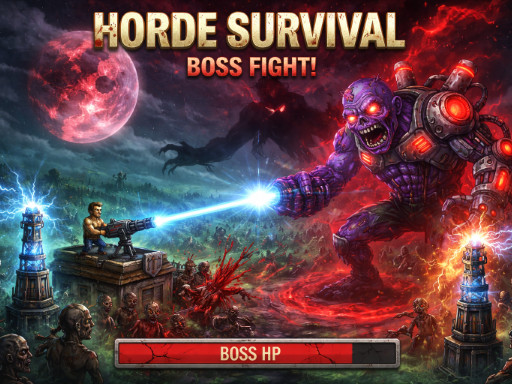
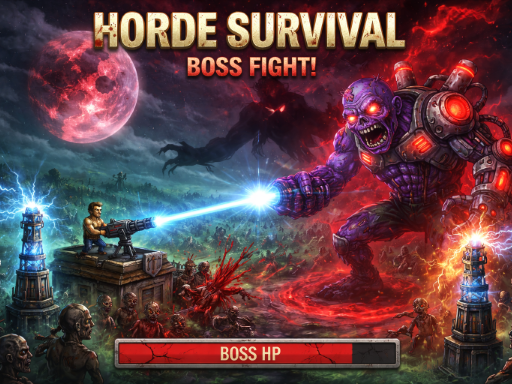
No download required! Play instantly in your browser, build your defenses, and show the zombie horde who rules the apocalypse! Key Features: Action Defense: Get max XP by shooting zombies yourself; defense kills yield less XP. Free Upgrades: Fences auto-upgrade Max HP & Regen every round. Dynamic Threat: Zombie damage scales with survived days. Whats New? Hero Cloning: Fallen in battle? You can now spend Gold to clone and revive your hero to keep fighting! Boss Countdown: Track days left until the big fight! New Maps: 2 fresh Day & Night maps. More: New soundtracks, rebalanced difficulty, diverse zombie stats, and bug fixes.
Terrifying Zombies: Tower Defense II lands in adventure and is the right pick for quick reactions and arcade breaks. It renders at 1920x1080 in landscape..
How to play Terrifying Zombies: Tower Defense II
- Open the play frame with Play now; Terrifying Zombies: Tower Defense II loads straight from GameMonetize with nothing to install.
- WASD or Arrow Keys Move Left Click Shoot Select and Place Towers P Pause Game amp Save Menu.
- This one runs landscape, so use fullscreen or turn a phone sideways for the framing it was designed around.
Terrifying Zombies: Tower Defense II at a glance
- Play area
- 1920x1080 px, landscape
- Also tagged
- 2026 Games, 2d, Action, Amazing
How Terrifying Zombies: Tower Defense II compares
The closest adventure pages on GamPlayer are 2D Platformer Coin, Catch Huggy Wuggy! and Drive Crazy. Terrifying Zombies: Tower Defense II sits alongside that group on provider quality score.
Tips for a better session
- The play area is 1920x1080; fullscreen on a laptop gives you the framing it was built for.
- Controls are listed as wasd or arrow keys move left click shoot select and place towers p pause game amp save menu, so check that against your device before a long session.
- Give it two attempts before judging it; most of these open harder than they play.
- Try fullscreen if the view feels cramped, especially on a laptop.
Frequently asked questions
Is Terrifying Zombies: Tower Defense II free to play?
Yes. Terrifying Zombies: Tower Defense II runs in the browser with no download, no install and no account, served from GameMonetize in the frame above.
What are the controls for Terrifying Zombies: Tower Defense II?
WASD or Arrow Keys Move Left Click Shoot Select and Place Towers P Pause Game amp Save Menu. You will also find them in the at-a-glance list higher up the page.
Can I play Terrifying Zombies: Tower Defense II on a phone?
Terrifying Zombies: Tower Defense II runs landscape at 1920x1080. It works on a phone turned sideways, and fullscreen gives it the intended framing on smaller screens.
What games are similar to Terrifying Zombies: Tower Defense II?
The nearest matches are 2D Platformer Coin, Catch Huggy Wuggy!, Drive Crazy. Scroll to the similar games row for the full adventure set.


