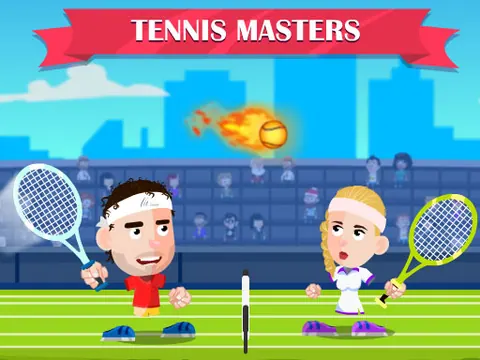
Sports / BROWSER GAME

Tennis Masters

Return the ball, time your smash and handle a court full of surprises.

YOUR GAME IS READY TO OPEN

Tennis Masters

Provided by GameMonetize. Includes in-game ads. The publisher receives your connection when you press play.

Press play to start

PUBLISHER-HOSTED · IN-GAME ADS

Desktop keyboard controls. The game title screen uses Tennis Masters; the publisher lists Tennis Master. Touchscreen play has not been tested on a physical phone. Publisher ads and branding remain.

Provided by GameMonetize. Its advertising, storage and consent controls operate inside the game. About publisher games · Official game information ↗

keyboard controls listed
Report a problem ↗

PLAYER GUIDE

How to play Tennis Masters

Tennis Masters is an arcade take on tennis with character choices and unusual court effects. Learn a regular return before relying on a smash: position and timing decide whether you reach the ball.

  1. Choose a player mode and follow the character and match selections.
  2. The match reference shows A/D to move and W to jump for the left player, with X to hit and Z to smash.
  3. In local two-player mode, the right player uses Left/Right/Up, L to hit and K to smash. Check the displayed controls when switching modes.
  4. Watch the court after a power-up or effect appears, then adjust your next return.

A few useful tips

  • Recover toward a position from which you can cover the next shot.
  • Start with controlled returns; attempting a smash from every position can leave you late.

If something isn’t working

Click inside the game before using the keyboard. These bindings are shown in the supplied game's match screen; the in-game instructions take priority for the selected mode.

Controls are catalog references; check the in-game instructions. Device support and browser builds can differ. Our testing standards
Before you play Tennis Masters

Arcade tennis with positioning, hitting and smash timing. The listing is called Tennis Master; the supplied game's title is Tennis Masters.

Open this browser game without a separate app installation. Your connection still loads the game files.

What are the Tennis Masters controls?

The match reference shows A/D/W for the left player and X/Z for hit/smash. The right player uses Left/Right/Up and L/K. Check the displayed keys for your selected mode and click inside the game after an ad.

Can two people play Tennis Masters together?

The game offers local play on one computer with separate keys. It is not a remote multiplayer service connecting different computers.

Is Tennis Masters ad-free?

This is a free publisher-hosted browser player with in-game ads. GamPlayer does not remove the publisher's advertising or branding.

Page information updated . Input support and saves depend on the specific build; a controls reference is not a test on every device.

Choose your next game

Find games with a similar setup:

Game loading and keyboard help · Browse player guides

KEEP EXPLORING

More sports games

Browse all games →

Taking a break

Your game is behind this screen. Audio may continue.