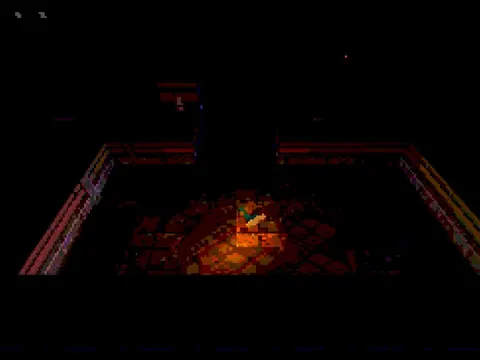
Action / BROWSER GAME

Zombie Mission Survivor

Keep moving through enemy waves and choose upgrades for your next stand.

YOUR GAME IS READY TO OPEN

Zombie Mission Survivor

Provided by GameMonetize. Includes in-game ads. The publisher receives your connection when you press play.

Desktop keyboard and mouse required.

Press play to start

PUBLISHER-HOSTED · IN-GAME ADS

Desktop keyboard. Cartoon combat and repeated enemy waves. The game offers local co-op; this is not remote multiplayer. Publisher ads and browser storage remain under its control.

Provided by GameMonetize. Its advertising, storage and consent controls operate inside the game. About publisher games · Official game information ↗

keyboard controls listed
Report a problem ↗

PLAYER GUIDE

How to play Zombie Mission Survivor

Survive groups of approaching enemies while collecting the rewards needed for upgrades. Movement gives your attacks room to work; stepping into a crowd can end a promising run quickly.

  1. Select a player mode and follow the start screen into the arena.
  2. Move with WASD. Keep watching the space around your character as enemies approach.
  3. Collect rewards when you can reach them without crossing a dense enemy group.
  4. Choose the upgrade shown by Z, X or C when the selection appears. For local co-op, the second player uses the separate controls listed here.

A few useful tips

  • Keep an escape route open rather than waiting in a corner.
  • Read an upgrade's effect before choosing it; your next choice should fit the way the current run is developing.

If something isn’t working

Use a physical keyboard and click inside the player for focus. Both people use the same computer in local co-op. The provider controls the game's save and advertising behavior.

Controls are catalog references; check the in-game instructions. Device support and browser builds can differ. Our testing standards


Before you play Zombie Mission Survivor

Cartoon survival combat with perk choices and a local co-op option. Both people share one computer; publisher ads remain.

Open this browser game without a separate app installation. Your connection still loads the game files.

What keys do the two players use?

Player 1 moves with WASD and chooses perks with Z/X/C. Player 2 moves with the arrow keys and chooses perks with B/N/M. Read the displayed perk cards before selecting.

Is Zombie Mission Survivor online multiplayer?

It plays in a browser, but the co-op mode described here is local: two players on one computer. This is not a promise of remote online matchmaking.

What should I do at the start of a stage?

Choose the offered starting perks, then keep space around your character as enemies approach. Leave an escape route and collect rewards when you can reach them safely.

Page information updated . Input support and saves depend on the specific build; a controls reference is not a test on every device.

Choose your next game

Find games with a similar setup:

Game loading and keyboard help · Browse player guides

KEEP EXPLORING

More action games

Browse all games →

Taking a break

Your game is behind this screen. Audio may continue.