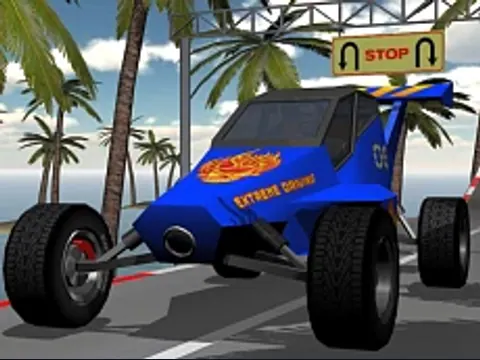
Take a stunt car around elevated courses with sharp bends, ramps and moving obstacles. The introductory track gives you room to learn the steering before spending coins on upgrades or other tracks.
Open the settings cog and choose keyboard or mouse controls. The initial mouse mode does not accelerate with the arrow keys.
Select the introductory track and press Start. In mouse mode, hold the left mouse button to accelerate and move the pointer to steer.
Slow down before a tight bend, then line up with the next ramp or obstacle.
Return to the track and upgrade menus to use coins earned by completing courses.
A few useful tips
The cockpit view makes speed easy to read; change the camera if you need a wider view of an obstacle.
Gentle steering is easier to control than a sudden correction near the edge.
If something isn’t working
If the car stays still, check which control mode is selected. Click inside the player before using keyboard controls. Use a desktop computer for this build.
Controls are catalog references; check the in-game instructions. Device support and browser builds can differ. Our testing standards
Before you play Car Stunt Racing
Elevated 3D stunt tracks with turns and obstacles. Select the input mode first: the initial mouse-driving mode does not accelerate with arrow keys.
Open this browser game without a separate app installation. Your connection still loads the game files.
Why will my car not accelerate?
Open the settings cog and check the selected control mode. In mouse mode hold the left button to accelerate; choose keyboard mode if you want Up/Down for acceleration and braking.
How do I steer in Car Stunt Racing?
Keyboard mode uses Left/Right. Mouse mode uses pointer movement, with left/right buttons for acceleration and braking. C changes the camera; follow the loaded game's settings.
Can I play on a phone or without ads?
This build is offered for desktop input and keeps the publisher's in-game advertising. GamPlayer does not offer an ad-free license or promise physical-phone support.
Page information updated . Input support and saves depend on the specific build; a controls reference is not a test on every device.